coding agents
welcome

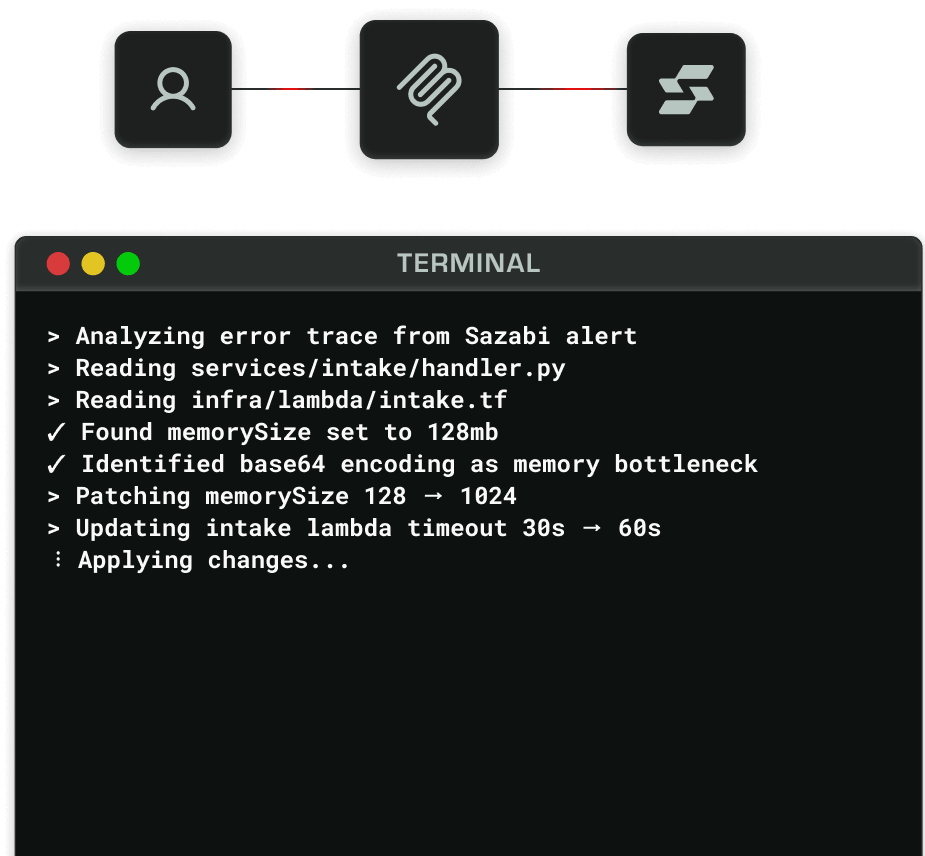
Observability for AI, not just humans. Claude Code, Cursor, and every major coding agent can investigate production, trace errors, and debug live systems through native integrations.
All agents supported
Command-line interface

Observability in your terminal

Ask anything

Ask plain-language questions about your system and get detailed answers with root causes, impact, and recommended fixes.

Query logs

Search your logs with structured queries. Filter by severity, service, time range, or any field, and get results in a clean, readable table.

Search past threads

Find previous debugging sessions by keyword. Every investigation is searchable, so you never lose context on past incidents.

Ask anything

Ask plain-language questions about your system and get detailed answers with root causes, impact, and recommended fixes.

Query logs

Search your logs with structured queries. Filter by severity, service, time range, or any field, and get results in a clean, readable table.

Search past threads

Find previous debugging sessions by keyword. Every investigation is searchable, so you never lose context on past incidents.

Tail and forward logs

Stream logs in real time from any project. Filter by severity, service, or keyword and watch your system live from the terminal.

Instrument your app

Connect a new data source in seconds. The CLI walks you through setup and gives you everything you need to start sending logs.

Manage projects

List, inspect, and manage all your projects and environments from a single command. See status, regions, and configuration at a glance.

TERMINAL
>$ sazabi messages send "Why are my checkout API calls timing out?" --wait
>
>Analyzing your observability data...
>
Found 847 timeout errors in checkout-api (last 24h)
>
>Root cause identified:
>• Database connection pool exhausted (max 25 connections)
>• Average query time: 2.3s (up 340% from baseline)
>• Missing index on orders.user_id causing full table scans
>
>Recommended fixes:
>1. Add index: CREATE INDEX idx_orders_user_id ON orders(user_id)
>2. Increase connection pool size to 50
>3. Add query timeout of 5s to prevent cascading failures
TERMINAL
>$ sazabi logs query "level:error AND message:database" --since 1h
>
>Querying logs from the last hour...
>
Found 847 matching logs:
>
> Timestamp Service Message
> 2026-03-19T18:15:42Z payment-service Database connection pool exhausted
> 2026-03-19T18:15:43Z payment-service Database connection pool exhausted
> 2026-03-19T18:16:12Z order-processor Database query timeout after 5000ms
> 2026-03-19T18:16:18Z auth-service Database deadlock detected
> 2026-03-19T18:16:45Z payment-service Database connection pool exhausted
> 2026-03-19T18:17:03Z order-processor Database query timeout after 5000ms
...
TERMINAL
>$ sazabi threads search "authentication errors"
>
>Searching threads for "authentication errors"...
>
Found 4 matching threads:
>
> Debug 401 errors in /api/auth/verify endpoint 2 hours ago
> Investigate Clerk webhook authentication failures 1 day ago
> API key authentication returning 403 for valid keys 3 days ago
> Session timeout causing authentication loops 1 week ago
TERMINAL
>$ sazabi logs tail --severities INFO,ERROR
>
>Tailing logs for project sazabi-prod (us-west-2)...
>Press Ctrl+C to stop
>
>18:42:13 INFO [api] Request completed GET /api/v1/projects 24ms
>18:42:13 INFO [worker] Background job completed 156ms
>18:42:14 ERROR [api] Database query timeout 5002ms
>18:42:14 INFO [intake] Batch ingested 1247 logs 2.3MB
>18:42:15 ERROR [worker] Failed to process event "connection refused"
>18:42:16 INFO [api] Cache hit for user sessions 2ms
>18:42:17 ERROR [intake] Failed to parse log entry "invalid JSON"
TERMINAL
>$ sazabi data-sources connect
>
>? Select data source type: Application Logs (OTEL, Syslog, JSON)
>? Data source name: production-web-api
>
Created data source production-web-api
>
>Next steps:
>1. Install the Sazabi SDK: npm install @sazabi/logger
>2. Add your intake URL to your environment
>3. Initialize the logger in your app
>4. Your logs will appear in real-time
TERMINAL
>$ sazabi projects list
>
> Project Environment Region Status
> web-api-production production us-west-2 active
> web-api-staging staging us-west-2 active
> mobile-backend-prod production us-east-1 active
> data-pipeline-staging staging us-west-2 active
> worker-services-prod production us-west-2 active
>
5 projects found

Tail and forward logs

Stream logs in real time from any project. Filter by severity, service, or keyword and watch your system live from the terminal.

Instrument your app

Connect a new data source in seconds. The CLI walks you through setup and gives you everything you need to start sending logs.

Manage projects

List, inspect, and manage all your projects and environments from a single command. See status, regions, and configuration at a glance.

Skills

No skill issues

Ask your stack what's broken, slow, or acting weird, in plain language. The system correlates logs, metrics, and traces to answer back with causes.

Skills illustration

investigate-error

Investigate any error with full context. Trace errors through logs, correlate with deployments, and surface related incidents to understand root cause.

check-system-health

Get instant system-wide status from your agent. Check service health, resource usage, and active alerts across all environments.

trace-request

Follow any request through your entire stack. Agents can trace requests across services, identify bottlenecks, and correlate with logs, from the first API call to the final response.

More features

Loved by
Agents

More features

Ask your stack what's broken, slow, or acting weird, in plain language. The system correlates logs, metrics, and traces to answer back with causes.

Agent-Friendly Docs

Documentation optimized for AI consumption. Structured, semantic, and version-aware, so agents understand your API, your architecture, and your conventions without human translation.

Agent-friendly docs illustration

MCP Server

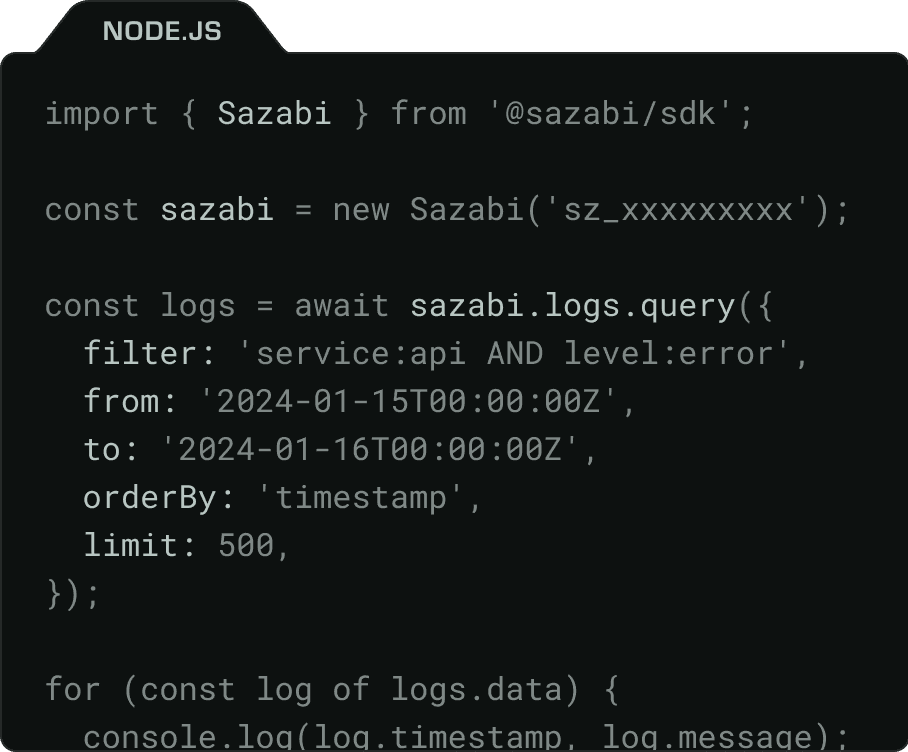
Native Model Context Protocol support. Your coding agent can query logs, search threads, tail events, and investigate errors, all without leaving the IDE.

MCP server illustration

Robust API

Comprehensive REST and GraphQL APIs. Every feature in Sazabi is accessible programmatically, built for automation, agents, and custom integrations.

Robust API illustration
Sazabi system ©
System init